 Simply Fluent



You are reading a novel in Spanish and you stop at a word you don't know. On most phones you select it, a card opens over the bottom of the page, and the card now covers the very sentence you wanted to understand. You read the translation, close the card, and look for the sentence again.
On an open iPhone Duo, or on a tablet turned to landscape, that doesn't happen in Simply Fluent. The book shows two pages side by side. When you translate a word, the translation opens on the facing page, and the sentence you are translating stays in view next to it.
What does a book look like on an open iPhone Duo?
Apple lists the inner screen of iPhone Duo at 7.6 inches (apple.com/iphone-duo, checked November 2026). With the phone open, Simply Fluent puts one page on each side of the fold, the way a paper book lies open at its spine. Pages turn horizontally.
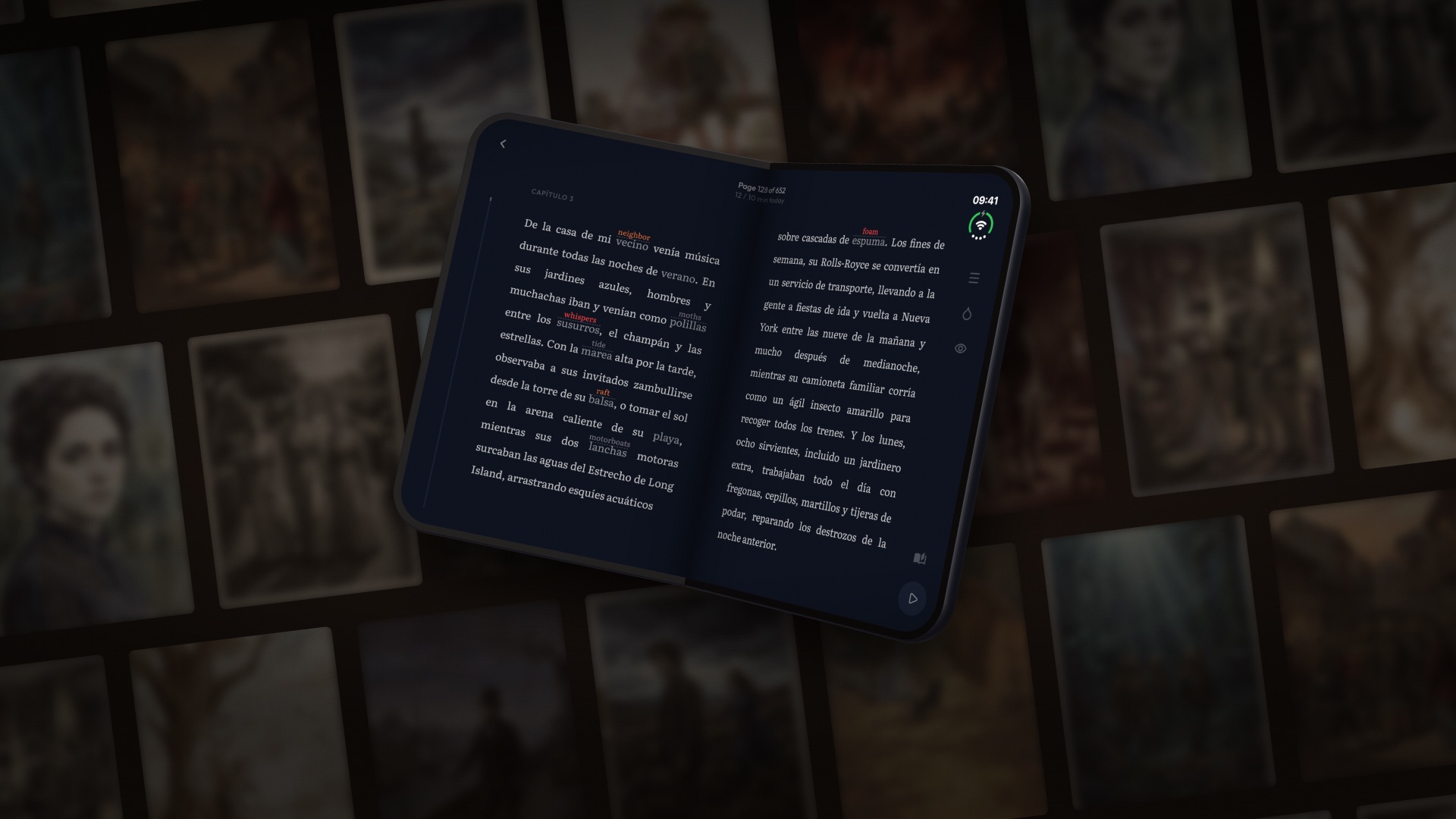
With the phone closed, you read on the outer screen one page at a time, as on any other phone.
What happens when you translate a word?
Select a word or phrase and the translation card opens on the facing page. Nothing is dimmed while the card is open, so you read the sentence, glance across, and go on. If you choose to have the card on the same page as the word, the whole screen is dimmed behind it.
Closing the card takes a touch anywhere on the screen.
This matters for reading in another language, because you want the translation and the sentence in front of you at the same time. If you save the translation, it is shown above that word in every book you read in that language from then on, so you don't look the same word up twice.
Can you choose where the translation opens?
Yes. In the reader menu, under Text and spacing, the setting is called "Same page" or "Facing page". It only appears when two pages are on screen.
"Facing page" is the default, for the reason above: on the word's own page, the card covers the sentence. If you prefer the card on the same page as the word, choose "Same page". The first time a translation opens on two pages, a short tip explains the setting.
What about tablets?
Turn a tablet to landscape and the reader shows two pages side by side, with the same choice of where the translation opens. In portrait you get one page.
This release, Simply Fluent 2.4.0, came out on 2026-11-05. It has only been checked on iPhone Duo and on tablets in landscape. Other foldable phones are not covered here because I have not tested them.
When do you get one page instead of two?
- Vertical scrolling. Two pages only appear with horizontal page turning. If the reader is set to scroll vertically, you see one column.
- A narrow screen. If the screen is too narrow for two readable pages, you get one.
- The outer screen of iPhone Duo. One page at a time.
The text width setting also applies to the two pages, so you can make the lines shorter or longer on both.
Try it with a book you already know
Open a book and translate one word on the left page, then one on the right, and see where the card lands each time. If you need a place to start, how to pick your first book covers it, and reading an EPUB you own with translation covers books from outside the library.
Common questions
- Can you read two pages side by side on iPhone Duo?
Yes, in Simply Fluent. With the phone open, the book shows one page on each side of the fold, the way a paper book lies open. With the phone closed, the book is read one page at a time on the outer screen.
- Does Simply Fluent work on a tablet in landscape?
Yes. Turn the tablet to landscape and the reader shows two pages side by side. In portrait it shows one page.
- Why does the translation open on the facing page?
On the word's own page, the translation card covers the sentence you are translating. On the facing page it does not, so you can read the translation and the sentence together. You can change this in the reader menu, under Text and spacing.